One wishlist for all of your game stores
Firelink is free and needs no account registration.
Firelink connects to your Steam, PlayStation, Xbox, GOG, Epic and Nintendo accounts and collects the games from all of those wishlists into a single list. For each game it shows what every store is currently charging, and you can enter the price you would be willing to pay. When a store drops to that price, Firelink notifies you and you buy the game from that store as you normally would.
Comparing prices between stores
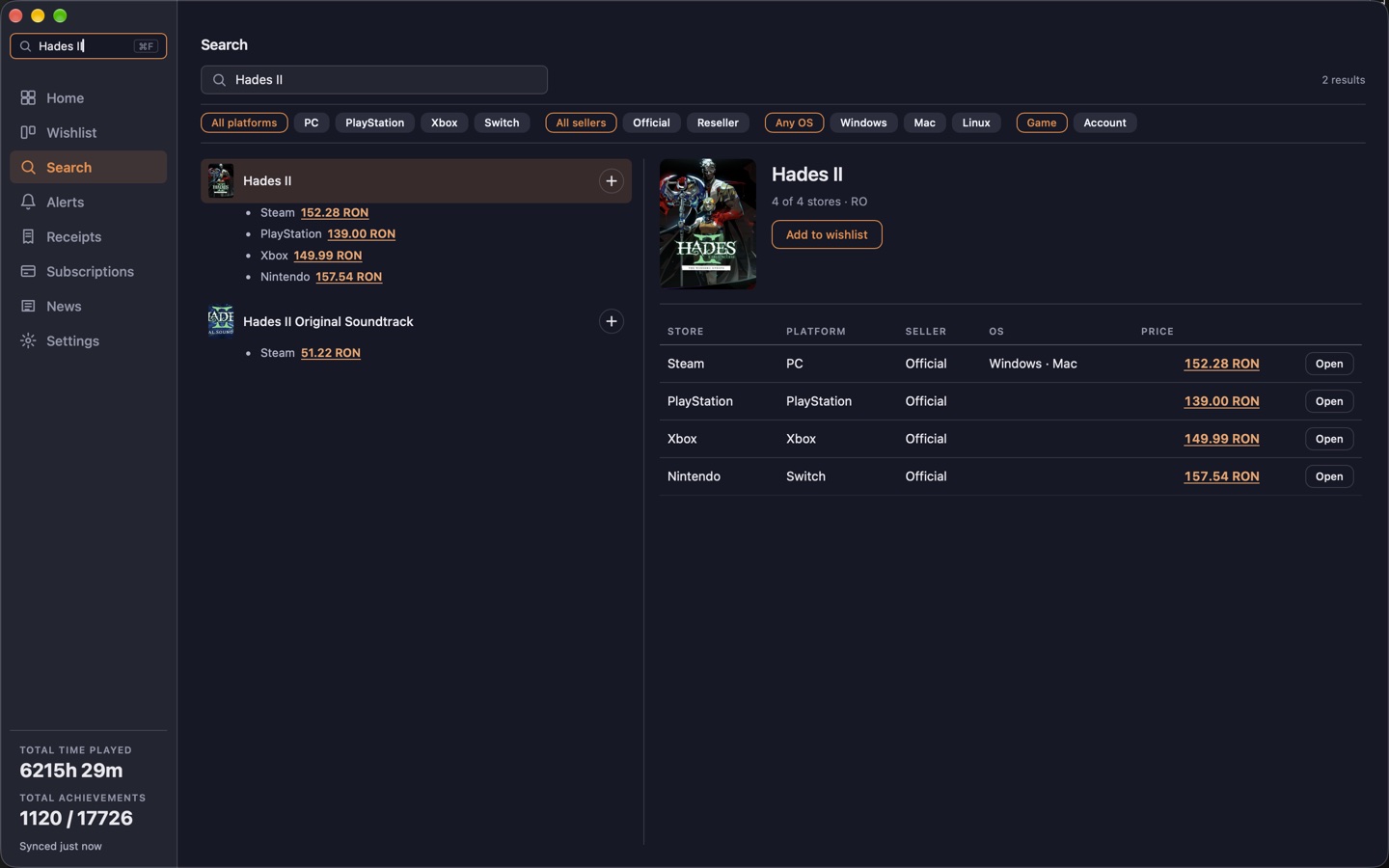
When you search for a game, Firelink lists the price at every store it can find it on, with the PC stores at the top and PlayStation, Xbox and Nintendo underneath. The lowest current price is shown in green next to the store's regular price, and every row says when that price was last checked, so you can tell whether a discount is still running.
The Open button takes you to the game's page on that store, where you buy it with your own store account. Key resellers are listed below the official stores only when they happen to be cheaper, and Firelink warns you that they are not an official source before it sends you there.
Your wishlists from every store, together
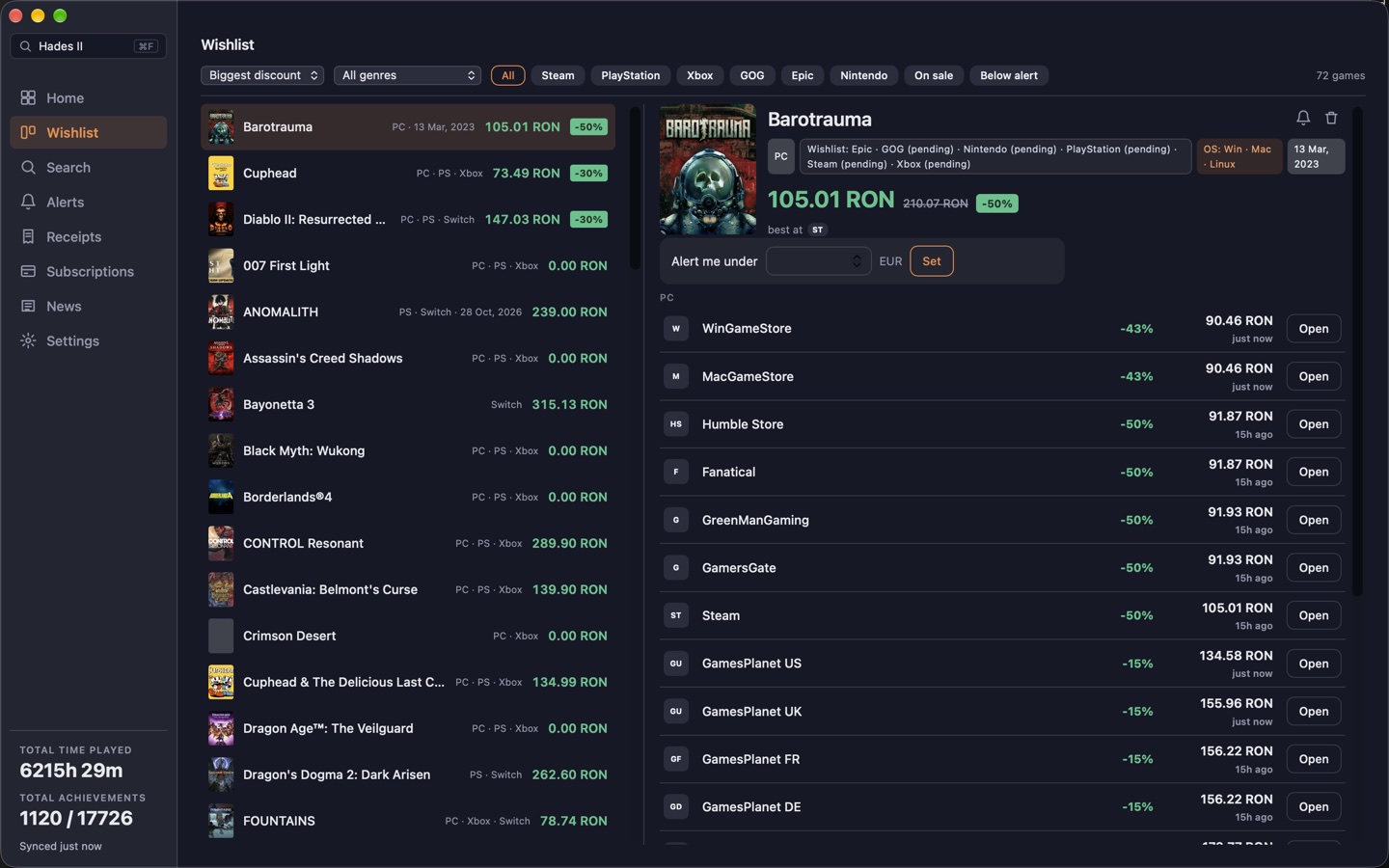
Once a store is connected, the games on that store's wishlist appear in Firelink, and they are refreshed every time the app syncs. This currently works for Steam, GOG, Epic, PlayStation and the Nintendo eShop.
It also works in the other direction. When you add a game to your wishlist inside Firelink, you choose which stores it should be wishlisted on, and Firelink adds it to your wishlist on Steam, GOG, Epic or PlayStation using the account you signed in with. Each game keeps a record of its price over the last 30 days, 90 days and year, along with the lowest price it has ever been sold for, which helps when you are deciding whether to wait for a better sale.
Live players, ratings and reviews for any game
The Charts tab opens on the games being played most on Steam right now and the ones trending this week, with a search box that finds any game on top of that. Open a game and Firelink shows how many people are playing it at that moment, its Steam review score, its Metacritic score where one exists, and a chart of its average player count over the past year.
Below that it lists the most-watched reviews of the game on YouTube and links to Metacritic, OpenCritic and the Steam reviews, so you can tell whether a game is worth buying before you spend anything. It works for every game, not only the ones you own, and shows what it can when a figure is not available.
Price alerts
You can set a target price for an individual game, or a single percentage that applies to the whole list so that any game dropping by that much or more triggers an alert. The bar on each alert shows how far the current price still is from your target, and the small marker shows where the price was a week earlier. Firelink sends one notification when a store reaches your price and nothing else, so there are no weekly summaries or recommendations.
Connecting your store accounts
Each store is connected by signing in on that store's own login page, which opens inside the app. It is the same page you would get in a web browser, so passkeys and passwords both work, and the login session is kept on your device. Firelink never receives your password. The settings screen lists exactly what is read from each store and what is written back to it, and there is no separate Firelink account to create.
Before you install
Which stores does Firelink check?
Steam, GOG, Epic Games Store, Microsoft Store, PlayStation Store, Xbox Store and Nintendo eShop. Key sellers appear only when they're cheaper than every official store.
Do I have to make a Firelink account?
No. There's no Firelink login. You sign in to each store on that store's own page inside the app, and the session stays on your device. Firelink never sees your password.
Does Firelink sell games?
No. Open takes you to the store's product page and you check out there with your own account. Firelink never touches payment.
If I wishlist a game in Firelink, does it show up on my Steam wishlist?
Yes. Pick which store lists it should go on and Firelink adds it to your Steam, GOG, Epic or PlayStation wishlist through your own signed-in session.
Why not just use IsThereAnyDeal?
IsThereAnyDeal is PC only and doesn't write back to your store wishlists. Firelink covers PlayStation, Xbox and Nintendo too, pushes your picks to the store, and runs on your phone and desktop with one shared list.
What does it cost?
Nothing. No ads either. Windows, Mac with Apple silicon and Android.